

Most “top cloud storage services” lists look helpful—until you actually try to choose one.
They all say the same things: secure, scalable, easy to use. But none explain what really matters when your files, business data, or personal memories are on the line.
Here’s the honest truth: picking the wrong cloud storage can cost you money, slow your workflow, or leave your data more exposed than you realize. And in 2026, the market has matured enough that the real differentiators are no longer raw storage capacity—they’re privacy guarantees, collaboration quality, platform integration, and how pricing holds up long-term.
This guide cuts through the noise. Instead of just listing tools, it shows you exactly which cloud storage service fits your situation—and why.
- Quick comparison of the best cloud storage services
- Top tools for personal and business use cases
- Real differences in pricing, features, and limitations
- Security insights most guides skip
- A step-by-step framework to choose the right service
- Common mistakes and cost traps to avoid
What Cloud Storage Actually Means (And What It Doesn’t)
Cloud Storage vs Cloud Backup vs File Sync
These terms get used interchangeably all the time—but they work very differently under the hood.
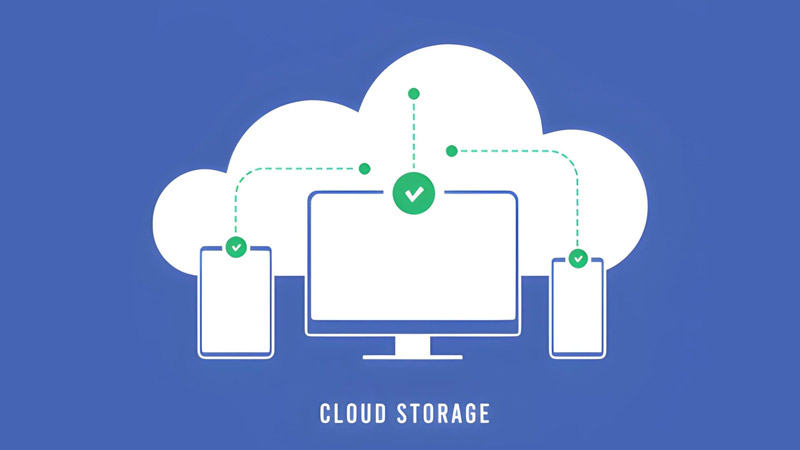
- Cloud storage: Store and access files from anywhere (e.g., Google Drive)
- Cloud backup: Automatically copies your data for recovery purposes (e.g., IDrive, Backblaze)
- File sync: Keeps files updated across all your devices in real time
This distinction matters in practice. If you delete a file in a sync-based service, it disappears on every connected device—sometimes before you even notice. A dedicated backup service keeps a recoverable copy regardless.
When You Actually Need Each
If you collaborate with others daily, you need sync + storage. If you’re protecting critical data that can’t be lost, you need backup. Many modern tools blend all three—but not equally well, and understanding the gaps can save you from a painful surprise later.
Quick Comparison: Top Cloud Storage Services
| Service | Best For | Free Storage | Key Strength | Paid Plans From |
|---|---|---|---|---|
| OneDrive | Overall use | 5GB | Microsoft integration | $1.99/mo (100GB) |
| Google Drive | Collaboration | 15GB | Real-time editing | $1.99/mo (100GB) |
| Dropbox | Teams & sync | 2GB | Best-in-class file syncing | $9.99/mo (2TB) |
| iCloud | Apple users | 5GB | Device integration | $0.99/mo (50GB) |
| Proton Drive | Privacy | 5GB | End-to-end encryption | ~$2/mo |
| IDrive | Backup + value | 10GB | Multi-device backup | $2.95/yr (100GB) |
| pCloud | Large files & lifetime plans | 10GB | Lifetime pricing option | $4.99/mo or $199 lifetime |
Notice the column on the right: pricing matters as much as features, and the difference between a $2/month plan and a one-time lifetime payment can translate to hundreds of dollars over a few years.
Best Cloud Storage Services by Use Case
Best Overall: Microsoft OneDrive
OneDrive strikes the best balance between storage, collaboration, and everyday usability. It integrates deeply with Windows and Microsoft 365—so if you’re already using Word, Excel, or Outlook, it slots into your workflow without friction.
Where it shines: productivity workflows, document editing, cross-device sync
Where it falls short: limited storage flexibility for heavy media users, and the real value requires a Microsoft 365 subscription ($6.99/month for Personal, which bundles 1TB)
Best for Collaboration: Google Drive
Google Drive dominates when multiple people need to work on files simultaneously. Docs, Sheets, and Slides make real-time co-editing seamless in a way that most competitors still haven’t matched.
For teams, this isn’t just storage—it’s a shared workspace. The free 15GB tier is genuinely practical too, since it covers Gmail, Drive, and Google Photos in one pool. Paid plans start at $1.99/month for 100GB or $9.99/month for 2TB through Google One.
The one caveat worth knowing: Google can access and scan your files for policy enforcement and ad targeting. If that’s a concern, you’ll want to pair it with a privacy-first option for sensitive documents.
Best for Privacy: Proton Drive / Sync.com
If privacy is your priority, these two services lead the pack. Both offer zero-knowledge end-to-end encryption—meaning even the provider cannot read your files, even if compelled by a court order. Sync.com operates out of Canada, which gives it favorable data jurisdiction for users concerned about where their files legally reside.
The trade-off is real though: fewer third-party integrations, slower performance in some scenarios, and a smaller ecosystem than Google or Microsoft. These aren’t daily-driver replacements for everyone—they’re best positioned as secure homes for sensitive or confidential files.
Best for Businesses: Dropbox / Box
Dropbox remains the gold standard for pure file syncing reliability—cross-platform, fast, and battle-tested in team environments. Box targets enterprises more directly, with built-in SOC compliance, 1,500+ app integrations, and granular permission controls that IT teams appreciate.
For growing teams that need structured workflows rather than just a folder on the internet, both services offer a significant step up from consumer-grade tools.
Best for Backup & Value: IDrive
IDrive is one of the few services that genuinely bridges cloud storage and true backup functionality. It supports multiple devices simultaneously and retains historical file versions—so accidental deletions or ransomware events don’t have to mean permanent loss.
The pricing is hard to argue with either. IDrive’s 100GB plan starts at just $2.95 per year, making it the most cost-effective entry point for anyone who wants a proper backup layer without spending much.
Best for Apple Users: iCloud
If you’re fully in the Apple ecosystem, iCloud is the most frictionless option available. Photos, files, and app data sync automatically across iPhone, iPad, and Mac with no configuration required.
Outside Apple devices, though, the experience drops noticeably. Web access works, but if you’re splitting time between Windows and Apple hardware, another service will serve you better as your primary storage.
Best for Large Files & Media: pCloud
pCloud handles large files and media streaming better than most, and it has one feature no major competitor offers: a lifetime plan. You can pay $199 once for 500GB or $399 for 2TB—permanently. For anyone planning to use cloud storage for four or more years, that math beats a $9.99/month subscription by a significant margin. It’s especially compelling for video creators, designers, and anyone with stable, long-term storage needs.
Best Free Storage Option: TeraBox
TeraBox offers unusually large free storage—more than any mainstream competitor. But that generosity comes with trade-offs: ads, weaker privacy protections, and questions about data handling that privacy-conscious users should research before committing.
It’s best used as secondary storage for non-sensitive files, not as your primary system for anything important.
What Actually Matters When Choosing Cloud Storage
Storage vs Real Usable Space
Not all “1TB plans” are equal. Some services impose file size limits, bandwidth caps, or download quotas that only become apparent when you actually try to use them heavily. Always check the practical limits—not just the advertised number on the pricing page.
Pricing Over Time
Monthly plans that look affordable can become expensive over years. Paying $9.99/month adds up to nearly $480 over four years—often more than a lifetime plan from pCloud covers for the same storage. It’s worth calculating your expected usage horizon before defaulting to a subscription.
File Size Limits & Performance
If you regularly work with large files—videos, high-res images, design exports—upload limits matter more than total storage size. Some services throttle heavy usage or cap daily bandwidth even on paid plans.
Collaboration Features
Businesses should prioritize sharing controls, permissions, version history, and integrations with the tools their teams actually use—not just raw storage capacity. A service with 1TB and poor permission controls will frustrate a team faster than one with 500GB and clean collaboration features.
Security Explained Simply
Encryption is the baseline, but the type matters:
- Standard encryption (in transit + at rest): Your files are protected from outsiders, but the provider can still access them
- Zero-knowledge / end-to-end encryption: Only you hold the decryption keys—the provider sees nothing
Cloud Storage Security & Privacy: What Most Guides Don’t Tell You
Can Providers See Your Files?
With most mainstream services—Google Drive, OneDrive, Dropbox—yes, technically. Files may be scanned for policy enforcement, content moderation, or (in Google’s case) ad targeting. This isn’t necessarily a problem for most users, but it’s worth knowing before you upload sensitive documents or client files.
Jurisdiction and Data Laws
Where a provider’s servers are physically located determines which laws apply to your data. A company operating under US law responds to FISA requests differently than one operating under Swiss or Canadian jurisdiction. For businesses handling sensitive client data, this isn’t a minor detail.
Account Bans & Risks
Some providers may suspend accounts if automated systems detect a policy violation—even unintentionally. Losing access to your storage without warning is a real risk if you rely on a single provider for critical files.
Data Loss Reality
Cloud storage is not a perfect backup. Sync errors, accidental deletions, and account access issues can still result in lost files. A separate dedicated backup layer—IDrive, Backblaze, or similar—adds meaningful protection.
Compliance vs Real Security
Just because a service is GDPR- or HIPAA-compliant doesn’t mean it’s fully private. Compliance is about meeting regulatory requirements—it doesn’t guarantee the provider can’t access your data. Zero-knowledge encryption is the only technical guarantee of true privacy.
Real-World Recommendations
Freelancers
Google Drive or OneDrive covers most needs—flexible, well-integrated with common tools, and affordable to scale up. The free tiers alone handle light use comfortably.
Small Teams
Dropbox offers reliability and simplicity for file sharing, while Google Drive is stronger for real-time co-editing. The right choice usually comes down to whether your team lives in Google Workspace or works more independently.
Growing Businesses
Box or OneDrive (via Microsoft 365) provides the scalability, admin controls, and structured permissions that growing organizations actually need.
Content Creators
pCloud or Google Drive handles large files and media access well. For long-term storage of video projects or design archives, pCloud’s lifetime plan is particularly hard to beat on value.
Privacy-Focused Users
Proton Drive or Sync.com offers the strongest technical guarantee of data privacy—zero-knowledge encryption means your files remain yours in every meaningful sense.
Cloud Storage Cost Traps & Mistakes to Avoid
- Paying for more storage than you actually use
- Ignoring file size and upload limits until they become a problem
- Relying on a single provider without any backup layer
- Choosing based on price instead of use case
- Defaulting to a monthly subscription when a lifetime plan or annual plan would cost significantly less over time
A common mistake is treating cloud storage as a complete solution. In most cases, you need storage plus a separate backup mechanism—especially if you’re a business or keeping files you can’t afford to lose.
Should You Use Multiple Cloud Storage Services?
Multi-Cloud Strategy
Using more than one provider reduces single points of failure and improves flexibility. If one service experiences downtime, has a billing issue, or changes its pricing, you’re not left stranded.
When It Makes Sense
A practical split: one service for daily collaboration (Google Drive or OneDrive), a second for privacy-sensitive files (Proton Drive or Sync.com), and a dedicated backup tool (IDrive or Backblaze) running in the background. That combination covers most scenarios without unnecessary complexity.
How to Choose the Right Cloud Storage
- Define your main use case—personal, business, backup, or all three
- Set your budget and factor in long-term costs, not just monthly price
- Evaluate your security and privacy requirements honestly
- Test free plans before committing—most services offer enough to judge real-world usability
This simple process prevents the most costly mistakes. The providers that feel slightly awkward in the free tier usually don’t improve much at the paid level.
FAQs
What is the best cloud storage for personal use?
Google Drive and OneDrive are the most balanced options for everyday personal use. If you hate recurring subscriptions, pCloud’s lifetime plan is the strongest long-term alternative.
What is the best cloud storage for small business?
Dropbox, Google Workspace, or Microsoft 365 with OneDrive—depending on whether your team prioritizes sync reliability, real-time collaboration, or Microsoft Office integration.
Which cloud storage is the most secure?
Proton Drive and Sync.com offer the strongest privacy through zero-knowledge end-to-end encryption. Internxt is also worth considering for teams that want open-source, independently audited security.
Is free cloud storage safe?
Generally yes—from reputable providers. But free tiers often come with weaker privacy terms, smaller storage limits, or reduced security features. For sensitive files, a paid tier or a privacy-focused service is a better choice.
How much cloud storage do I need?
Most individuals manage comfortably with 100GB–1TB. Heavy photo or video users tend to need 2TB or more. Businesses should estimate based on team size and file types—document-heavy teams use far less than those working with media.
Final Verdict: Which Cloud Storage Should You Choose?
There’s no single “best” cloud storage service—only the best one for your specific situation.
If you want simplicity and productivity, OneDrive or Google Drive are the natural starting points. If privacy is non-negotiable, Proton Drive or Sync.com are the clearest choices. If you want backup and flexibility without paying forever, IDrive is hard to beat. And if you’re done with recurring subscriptions entirely, pCloud’s lifetime plan is the most compelling option in 2026.
The key is matching the tool to your workflow—not the other way around. Start with a free plan, test it in real conditions, and then commit. That’s the most reliable way to find a cloud storage service that genuinely works for you.